


Wendy’s
4.766.89K Reviews
App Specs
- Version
- 11.57.0
- Updated On
- License
- Free
- Downloads
- 10,000,000+
- Developer
- Wendy's Int'l., LLC
- Categories
- Food & Drink
- Platform
- Android, iOS
Screenshots
 Analysis by AppCompare
When I’m deciding whether to use a restaurant app, I care about more than whether I can tap through an order quickly. I also want to know what choices I’m making, whether the app is useful for my habits, and when ordering directly is less convenient than using another option. Wendy’s is a free Food & Drink app from Wendy’s Int'l., LLC, and its focus is familiar: ordering, rewards, and offers tied to the restaurant. That makes it most worthwhile for people who already visit Wendy’s now and then, rather than someone looking for a general-purpose meal planner or a way to compare every nearby restaurant.
What trust means in a restaurant app
I treat a fast-food app as a practical checkout tool, not as something that deserves automatic trust just because it has a polished interface. The useful question is whether I can see what I’m doing before I commit: choosing food, arranging pickup or delivery where available, and deciding whether to use an offer or rewards. I wouldn’t assume that convenience alone tells me how an app handles information. When privacy matters to me, I look at the permissions and choices actually presented on my device and in the app, and I avoid granting access that isn’t needed for the task I’m trying to complete.
This is also a case where location can affect convenience. If I’m trying to find a nearby restaurant or coordinate pickup, location access may be useful if the app asks for it, but I can consider choosing a location manually instead when that option is available. I prefer making that decision in context rather than allowing access reflexively. The same common-sense approach applies to notifications: offers can be handy, but I don’t need every alert to place an order. I can decide whether promotional reminders are worth the interruption for me.
Choosing when to use the app
For a regular Wendy’s customer, the main advantage is keeping restaurant-specific ordering and rewards in one place. It is different from a restaurant-finder or delivery marketplace, which may help compare several businesses or combine orders, but can add another layer between me and the restaurant. If I already know I want Wendy’s, using its own app is the more direct starting point. If I’m undecided about dinner, or need to compare menus across restaurants, a broader food-ordering service or simply checking nearby options may be a better fit.
I’d also think about the situation before relying on any app-based order. At home, I can take time to review my choices and see whether an offer fits what I planned to buy. On the way to pick up food, I’d rather finish the order before driving and avoid handling the phone while moving. If I’m ordering for someone else, I would check the customizations and the final basket carefully; a few taps make changes convenient, but that also makes it easy to overlook a selected ingredient or an item quantity.
Wendy’s is a well-established name in its category, and the app has a 4.7 average from around 609,000 ratings, alongside more than 10 million installs. Those figures suggest it has reached a broad audience, but they don’t tell me whether a particular restaurant near me will have the experience I want. Store availability, timing, and the usefulness of an offer are practical details to check during the order rather than assume from popularity.
Small choices that can make ordering easier
One helpful habit is to treat the order screen as a final checklist, not just a button to get through. I would confirm the selected restaurant, pickup or delivery choice, item changes, and any applied reward or offer before submitting. This matters especially when ordering in a hurry: an offer may influence what I add, so I’d compare the adjusted basket with what I actually intended to eat instead of treating a discount as a reason to spend more.
Worth Reading Before You Choose

Flipboard Shows What News Apps Must Do Beyond the Feed

Switching to Android Auto Means Rethinking Your Driving Routine

Google Calendar Makes a Crowded Week Easier to Manage

Ludo King Makes the Most of the Minutes Between Plans

Baby Panda World Brings Quick Play to Modern Phones, but Its Game Library Feels Busy

ESPN’s Live Game View Makes Following Close Games Easier
Rewards can make repeat visits feel more worthwhile, but they are most useful when they match purchases I would make anyway. I wouldn’t change my meal just to chase points or an eventual redemption. Before counting on a reward, I’d review the terms shown in the app and make sure the items and order qualify. That’s a better approach than assuming every purchase earns the same benefit or that every offer applies to every order.
Another trade-off is the difference between a restaurant’s own app and a general delivery service. Direct ordering can keep the Wendy’s menu, offers, and rewards together, while a marketplace may be more convenient if I’m comparing several restaurants or placing a mixed order. Neither choice is automatically best: I’d compare the actual options at checkout and choose based on what matters that day, such as selection, convenience, or using a restaurant-specific offer.
Who is likely to get the most from it
I’d recommend trying the app if Wendy’s is already part of your routine, you like adjusting a burger before ordering, or you want to check for restaurant offers without relying on paper promotions. It can also suit someone who prefers planning a pickup order before arriving. On the other hand, if you rarely eat at Wendy’s, don’t want another account or app in your routine, or mainly want to browse food from many restaurants, the extra setup may not earn its place on your phone.
For a realistic weekday example, imagine I have a short break and already know I want a Wendy’s meal. I can look through the menu in advance, make any changes while I have a moment, check whether an offer is relevant, and review the order before choosing the available handoff method. That can reduce the time spent deciding at the counter. It doesn’t remove the need to check the restaurant’s options or allow for a busy period, so I would still leave a reasonable buffer rather than treating an app estimate as a guarantee.
The app is rated for Everyone and is free to download. It was released on June 29, 2012, and version 11.41.0 requires Android 9 or later. Those details make it straightforward to judge basic compatibility on Android, while the practical test is whether the current version works comfortably on your own device and supports the ordering options you need. I’d keep the app updated through the usual store process, especially if an ordering screen behaves unexpectedly.
If you’re wondering whether you need an account, whether your preferred payment method is supported, or whether delivery is available where you live, I’d check the relevant screens during setup and before placing an order. Those details can depend on the app’s current options and the restaurant or area selected. I would not enter payment information until I had reviewed the checkout total and was comfortable with the order. If I only want to browse, I’d first see how much of the menu and offer information is accessible without proceeding further.
One limitation of any branded restaurant app is that it is useful only within that restaurant’s world. It won’t replace a grocery tool, a meal-planning app, or a service built for comparing lots of local menus. Offers and rewards can also be less compelling for occasional customers than for people who return often. I see that as a reason to use it selectively, not a reason to install it simply because it exists.
That perspective shapes how I judge trust here: I value visible choices and careful checkout more than broad promises. I’d review the permissions requested on my device, use location or notifications only when they help me, and check the order details before confirming. If I no longer find the rewards or ordering useful, I can stop using the app and manage or remove it through the account and device controls available to me. Those are ordinary steps, but they keep the decision in my hands.
First Impressions
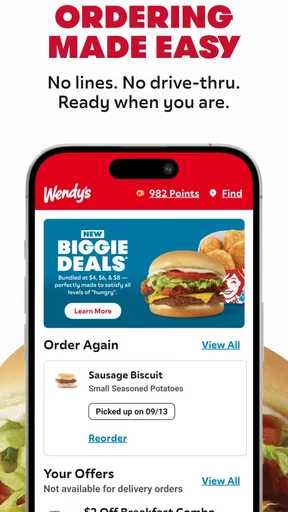
The Wendy’s app is designed to make your fast-food experience as seamless as possible. When I first opened it, I was greeted with a clean and intuitive interface. Everything is laid out clearly, making navigation a breeze. Whether you’re tech-savvy or not, you’ll find it easy to place an order.
Features That Stand Out
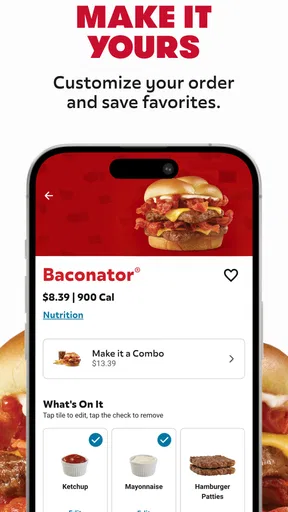
What I love about the app is the customization it offers. You can tweak your burger just the way you like it. Want extra cheese or hold the onions? No problem! The app lets you do all that with a few taps.
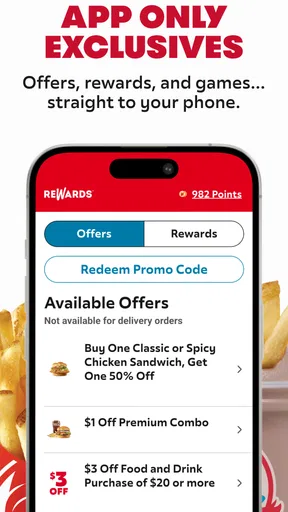
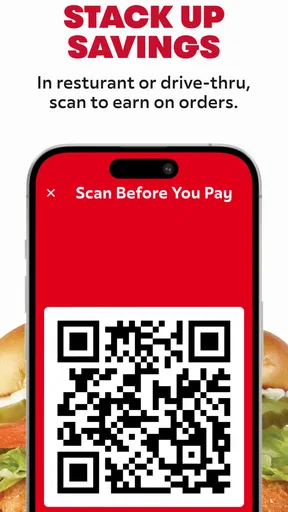
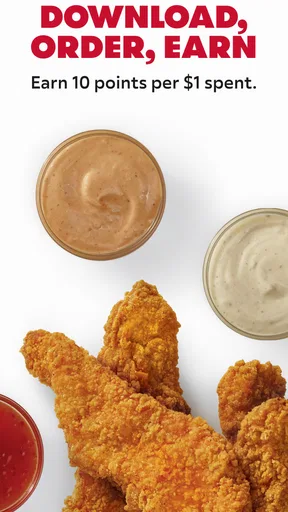
Another cool feature is the rewards system. Every purchase earns you points, which you can redeem for free food. Who doesn’t love free food, right? Plus, there are exclusive offers available only through the app, so you’re getting the best bang for your buck.
Ordering and Delivery
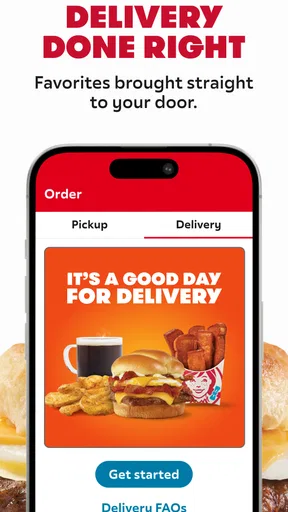
Ordering through the app is straightforward. After selecting your items, you can choose between pickup or delivery. I opted for delivery and was pleasantly surprised by how quickly my meal arrived. The app provides real-time tracking, so you know exactly when your food will get to you.
If you prefer pickup, the app lets you check in when you’re close to the restaurant. This ensures your food is hot and ready when you get there—no waiting around!
User Experience
The app runs smoothly without any glitches, and the loading times are super quick. One thing I’d love to see in future updates is more payment options, but that’s a minor gripe.
It’s also worth mentioning that customer support is easily accessible through the app. If you encounter any issues, help is just a few taps away.
Final Thoughts
All in all, the Wendy’s app is a game-changer for fast-food lovers. It’s convenient, easy to use, and packed with features that enhance your experience. Whether you’re a regular at Wendy’s or just an occasional visitor, the app is definitely worth downloading. Next time you’re hungry, give it a try—you won’t be disappointed!
Pros
- User-friendly interface with easy navigation.
- Customizable menu options for personalized orders.
- Real-time order tracking for convenience.
- Exclusive deals and discounts available.
- Loyalty rewards program enhances user engagement.
Cons
- Limited delivery zones restrict accessibility.
- No offline mode for browsing the menu.
- Occasional app crashes disrupt experience.
- Some features require strong internet connection.
- Account setup may be time-consuming.
FAQs for Wendy’s
What is Wendy's mobile app used for?
Wendy’s mobile app is designed to enhance your dining experience by providing a convenient platform to order food, customize your meals, and explore menu options. It also offers exclusive deals, promotions, and rewards for frequent users, making it easy to enjoy your favorite meals while saving money.
Can I customize my order through the Wendy's app?
Yes, the Wendy’s app allows you to fully customize your order. You can modify ingredients, add extra toppings, and choose meal options that suit your dietary preferences. This feature ensures that your meal is tailored exactly to your taste, offering a personalized dining experience.
Does the Wendy's app offer any rewards or loyalty programs?
The Wendy’s app includes a rewards program where users can earn points with every purchase. These points can be redeemed for free menu items or discounts on future orders. The app also frequently updates with special promotions, providing additional savings opportunities for loyal customers.
Is it possible to order delivery through the Wendy's app?
Yes, the Wendy’s app supports delivery options in many locations. You can choose between pickup and delivery directly through the app, making it convenient to enjoy Wendy’s meals from the comfort of your home. Delivery availability may vary based on your location.
How user-friendly is the Wendy's app interface?
The Wendy’s app is designed with user-friendliness in mind. It features an intuitive interface that is easy to navigate, with clear categories and a streamlined ordering process. Whether you’re tech-savvy or a first-time user, you’ll find it simple to place orders and explore the app’s features.


